Auto repair
Approvals and parts
Digital inspections, text-to-approve, parts on the ticket, and tech time by job.
Automotive
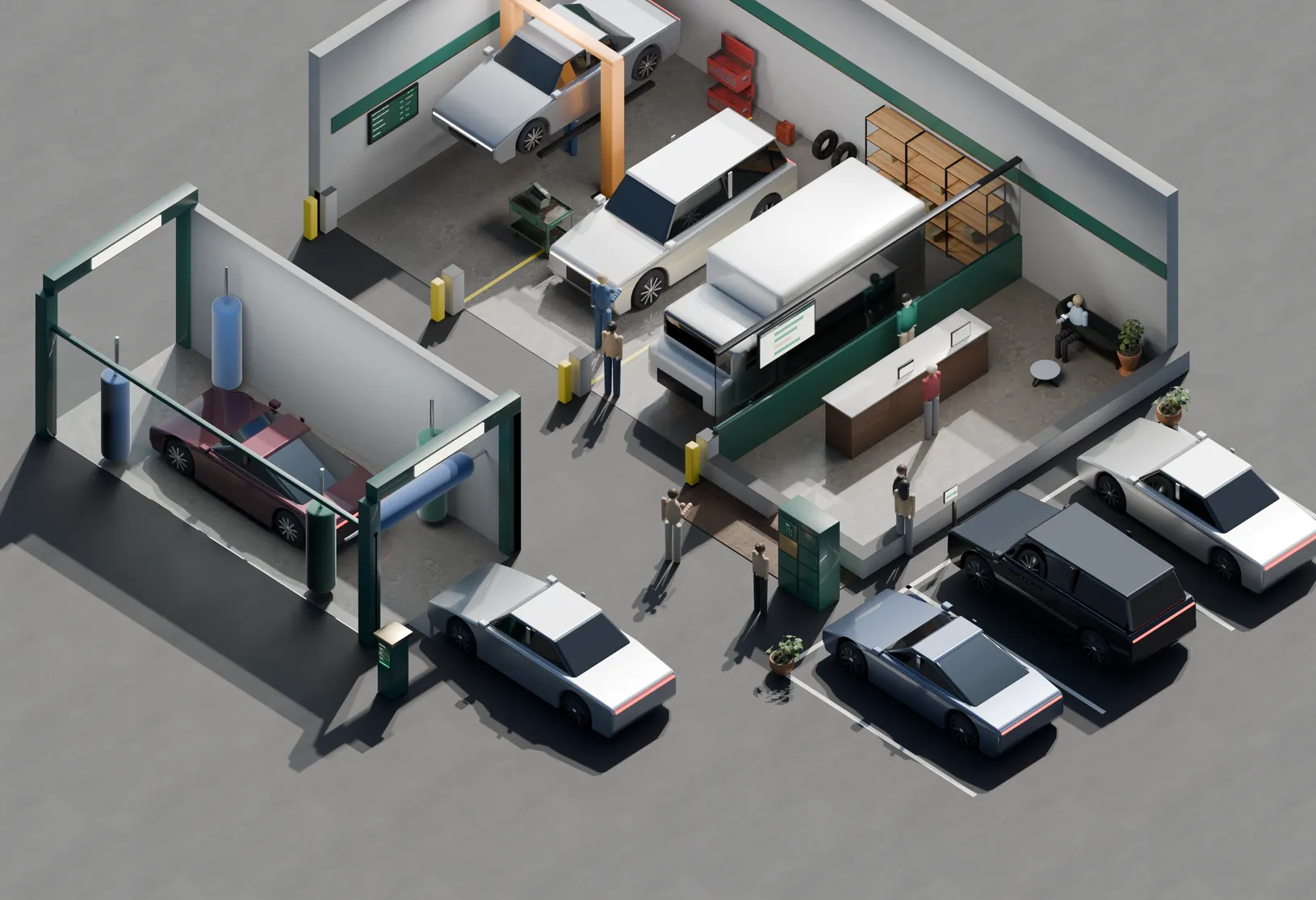
A Tuesday at 10:05. A car in the air, a hood up with the photos already sent, a fleet van on account and a customer approving brakes from the waiting room. Twelve marks show the systems doing the work — from the write-up to the bay to the keys in the locker.
TUE · 10:05 AM
CARS IN 11 · APPROVALS OUT 3
WASH MEMBERS 412 · KEYS READY 2
Service bays
Hover a light in the shop — or a station in the list Tap a light in the shop — or a station in the list
The 12
Grouped the way the shop runs: the bays, the front counter and waiting room, and the lot out front.
Service bays
Repair Orders & Tech Time Every minute under the car lands on the ticket. Explore Digital Inspections A photo of the brake pad sells the brake job. Explore Fleet Accounts & B2B Cards The contractor’s van, billed to the account. Explore Parts & Inventory The part is on the ticket before it’s off the shelf. ExploreBack office
Every hour, part, approval and payment lands on the repair order it belongs to. You know what each bay made before you lock the doors.
Service, parts and wash
On target of 70%
Down from 34 in the spring
Estimate approval rate by week
Sample dataShare of recommended work approved, after moving to photo inspections and text-to-approve. The dashed line is this shop’s 70% target.
| Week | Approval rate | vs target |
|---|---|---|
| Wk 1 | 58% | -12 pts |
| Wk 2 | 61% | -9 pts |
| Wk 3 | 64% | -6 pts |
| Wk 4 | 69% | -1 pts |
| Wk 5 | 72% | +2 pts |
| Wk 6 | 74% | +4 pts |
| Wk 7 | 77% | +7 pts |
| Wk 8 | 78% | +8 pts |
How it fits
A reminder text, a walk-in and a fleet account all become the same repair order — and the same line in the report when the day closes.
Fit
Same platform, different defaults. What changes is how the work is approved, how it’s billed, and who pays.
Auto repair
Digital inspections, text-to-approve, parts on the ticket, and tech time by job.
Dealership service
Write-up by plate, warranty and customer-pay lines, and text-to-pay before pickup.
Tire shops
Fast tickets, tire inventory by size, and appointments that don’t pile up.
Car washes
Monthly memberships on a card on file, plate recognition, and failed-card recovery.
Detailing
Package pricing, deposits on bookings, and mobile payment in the driveway.
Switching
The order below is the actual order. Nothing goes live until your labor rates and parts are right and the counter has run a day on it.
Labor rates, canned jobs and parts pricing entered and checked against recent tickets.
Week 1History imported where your old system allows it, keyed by plate and phone.
Week 1Counter terminal, text-to-pay and any dual pricing set up and tested.
Week 2Tablets in the bays, tech logins, and the inspection checklist.
Week 2One day run on both systems, so nothing is discovered with a full lot.
Week 3We’re on call for the first week and walk the first month-end with you.
Week 4Questions
Often, yes. Dual pricing has to be shown at the counter, the terminal and the receipt, and set up to the card networks’ rules. Some states restrict surcharging. We check what applies to you first.
Extra invoice detail sent with a commercial or fleet card payment. Mastercard still rewards it through Level 2 and 3; Visa moved to its Commercial Enhanced Data Program in April 2026. How much it saves depends on which cards your customers present, so we look at your statement before quoting anything.
Yes. Findings go out with photos and prices, and they approve line by line. The approval is stamped on the repair order.
A tablet per bay or per tech is the usual setup. The counter keeps a terminal for walk-up payments.
Yes. Memberships charge the card on file each month, and failed cards are flagged before the member drives in.
Big tickets make fees add up. Send us a statement and we’ll show you your real rate, every fee counted.
Free walkthrough
Forty-five minutes, your labor rates and last month’s statement. We map which of the twelve you already have, which are costing you, and what to change first.
No rate quoted until we’ve seen your statement. If the right move is to change nothing, we’ll say so.
Other industries