Skip to content
Vigilant Payments
Systems

Point of sale

  • Compare all systems What each is good at, and what it costs
  • Restaurant POS Tickets, tables and tips on a Friday night
  • Retail POS One inventory across the shop and the web
  • Handhelds & terminals Take payment where the customer is standing

Your trade

  • Restaurants
  • Home services
  • Retail
  • Salons & spas
  • Automotive
  • Marinas
  • Venues
  • Pet care
All nine industries →

Choosing well

  • Opening a business The decisions to make before you sign
  • Clover vs Square Where each one wins, in plain terms
  • Buying from an independent What changes when someone local sets it up

Ready when you are

Book a call →

More

  • Payments glossary182 terms, plainly explained
  • Gateways explainedWhat sits between the card and the bank
  • Commission-free orderingKeeping delivery off your margin
Walk the floor See your own business, station by station Twelve systems in a working business, from the door to the back office. Pick your industry →
Processing

Know your numbers

  • Work out your real rate Two minutes and last month’s statement
  • Read your statement Line by line, in English
  • The fees nobody explains Seven to look for before you renew
  • Flat rate or interchange-plus Which leaves you better off, and when

Before you sign

  • Questions to ask The answers that should be in writing
  • Red flags What a bad deal looks like early
  • When not to switch Sometimes the answer is to stay put
  • Six-question self-check

Keep up

  • Rule changes Card-network and Florida rules, dated and sourced
  • All guides Fees, contracts and systems
  • Payments glossary 182 terms, plainly explained

Ready when you are

Book a call →

More

  • Why independentHow we are paid, and by whom
  • SpotOn vs SquareTwo systems, side by side
  • Opening a businessPayments decisions before day one
Free review What are you really paying? Send one statement. You get the effective rate, the padding, and what we would do about it. No rate quoted before we have read it. Get started →
Company

Who we are

  • Our story BeightsTech in 2013, Vigilant in 2020
  • How we work Independent, local, paid the same either way
  • Careers Where you could add value here

Partners & affiliates

  • Agents and advisors Build a book with real support behind it
  • Referral partners Introduce clients without the hard sell
  • ISO partners Bring your merchants, keep your relationships
  • Technology partners Built something merchants use? Talk to us

Reach us

  • (239) 450-2639 Someone who sets these systems up answers
  • connect@vigilantpayments.com Send a statement or a question
  • Facebook What we are working on locally

Ready when you are

Book a call →

More

  • All partner programsFour ways to work with us
  • What we publishRule changes, dated and sourced
  • Industries we mapNine trades, station by station
Since 2013 Two companies, twelve years, the same job One LLC behind both names, aiming to be the first call for the technology a business runs on. Read our story →
Get started Call (239) 450-2639
(239) 450-2639 Get startedGet started
All industries RestaurantsHome servicesRetailSalonsAutomotiveMarinasNonprofitsVenuesPet care
Industries/ Churches & nonprofits/ Charity Rates & Fee Review

Office & outside

Charity Rates & Fee Review

Qualifying charities can pay less to take cards.
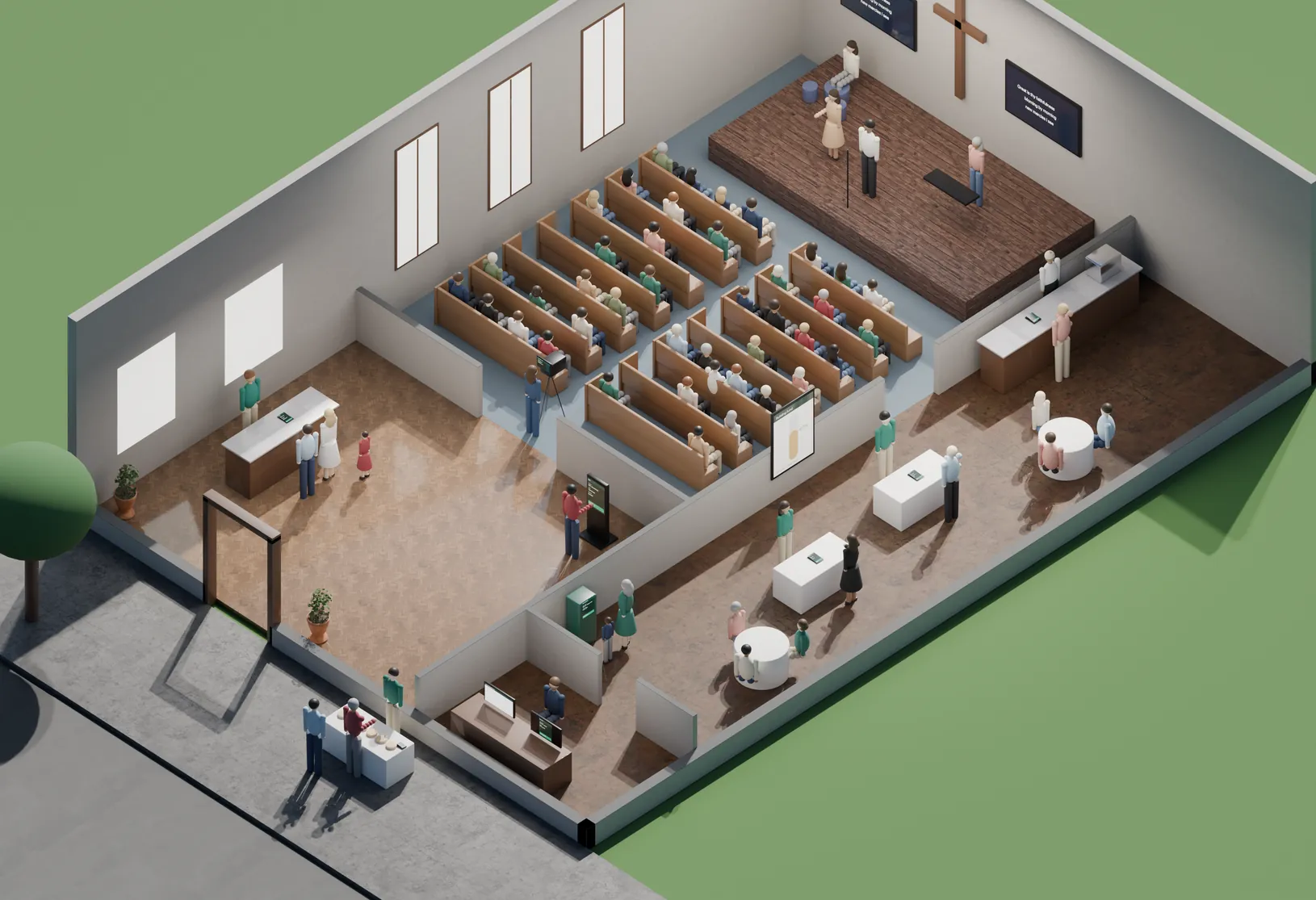
A cutaway of a church on a Sunday morning: a band on stage with lyric screens and a cross, a congregation in the pews with one member giving by text, a livestream camera, a giving kiosk and welcome desk in the lobby, a fellowship hall with a cafe counter, a building-fund board at 62 percent, event and monthly-giving sign-up tables and a kids check-in kiosk, the office preparing year-end giving statements, and a bake sale on the sidewalk taking cards. On the map →

What it does for you

  • Card networks publish lower rates for qualifying charities
  • We check whether yours are actually being applied
+2 more we walk through on the call, with your own numbers — including what it would cost you and what we’d leave alone.

Systems we set up that do this

We place and support these. Which one fits depends on how you run the place — that’s what the walkthrough is for.

  • Payroc Top-10 US acquirer with its own front and back end — and a new partnership for us.

Worth reading first

  • Processing & FeesHow to Actually Read Your Credit Card Processing StatementFind your effective rate first. Everything else follows from it.
  • Processing & FeesInterchange, Markup & Your Effective Rate, Explained SimplyThe one number that makes any two processing offers comparable.
  • Processing & FeesFlat-Rate vs. Interchange-Plus: Which Is Cheaper for You?Simpler is not always cheaper. Where the crossover actually falls.

Free walkthrough

See charity rates & fee review in your business.

Forty-five minutes with someone who sets these systems up. Bring last month’s statement if you have it.

or call (239) 450-2639

More in office & outside

Donor Records & StatementsCommunity Fundraisers Text-to-GiveOnline Giving & LivestreamGiving KioskWelcome & Connect CardsCafé & Bookstore POSFundraising CampaignsEvent RegistrationKids Check-InRecurring Giving & Pledges
← The whole nonprofits map Next: Recurring Giving & Pledges →

For businesses

  • Get a free statement review
  • Compare POS systems
  • Opening a business
  • Guides
  • Quick self-check

Industries

  • All industries
  • Restaurants
  • Home services
  • Retail
  • Salons
  • Automotive
  • Marinas
  • Nonprofits
  • Venues
  • Pet care

For partners

  • Agents and advisors
  • ISO partners
  • Referral partners
  • Technology partners

Resources

  • Rule changes
  • Payments glossary
  • Work out your effective rate
  • The fees nobody explains
  • Questions before signing
  • When not to switch

Company

  • About us
  • The team
  • Partners
  • Careers
  • Talk to us
  • (239) 450-2639
  • connect@vigilantpayments.com
  • Facebook
  • Privacy

© 2026 Vigilant Payments. All rights reserved.

  • Card processing
  • POS systems
  • Free statement review
Always Vigilant.

    ↑↓ to move · ↵ to open · esc to close